
Accounts & Transactions
Payees
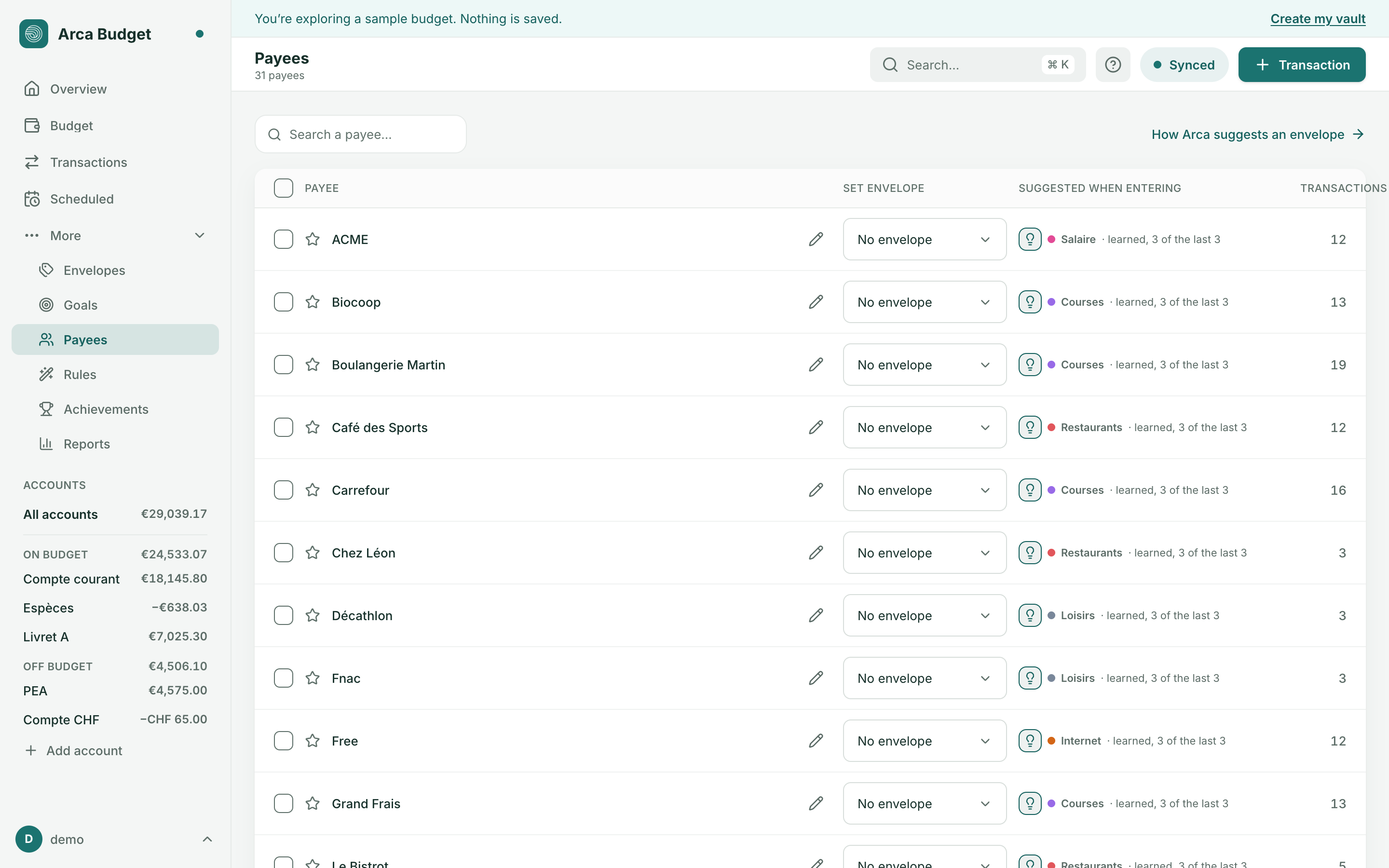

The Payees page lists every payee your transactions or imports have created, with its set envelope, the envelope suggested when entering a transaction for it, and how many transactions it has. Reach it from the More menu, the command palette (⌘K), or the Payees link on the Transactions page. Search narrows the list by name.
Renaming a payee
Section titled “Renaming a payee”A pencil on the row opens the name for editing in place — Enter confirms, Escape cancels. Transactions, rules and the set envelope all follow, by identity; only the name shown changes. The imported label (what your bank actually wrote) never changes.
If the name you type already belongs to another payee, that’s no longer a rename: Arca offers to merge the two — the row you were renaming’s transactions join the other payee, which keeps its name.
Merging payees
Section titled “Merging payees”Select several payees (a checkbox per row, or Select all) and Merge: pick which name to keep, and Arca shows how many transactions will move. Also rename future imports routes statements that used to match the old name to the kept one going forward. Merging can be undone with ⌘Z.
Favorites and duplicates
Section titled “Favorites and duplicates”A star marks a payee as a favorite. The Duplicates view groups payees whose names look alike, to catch near-duplicates a straight search would miss.
Was this page helpful?
Thanks — noted.