
Security & Privacy
Sign-in methods
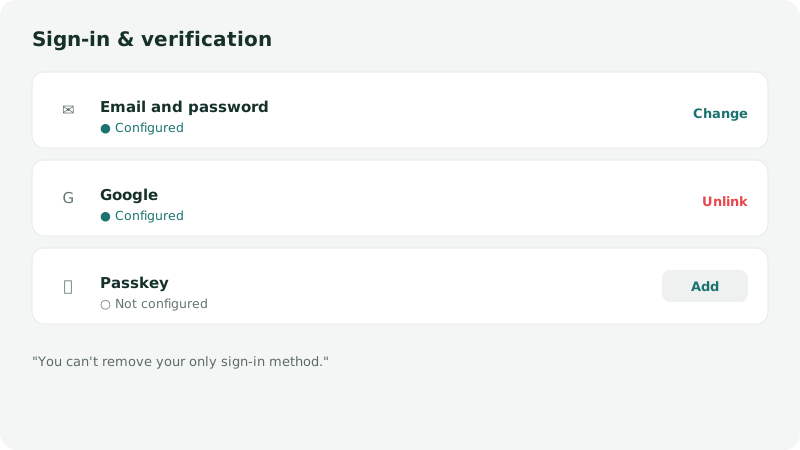
Settings → Security lists your active sign-in methods and lets you add or remove them.
Email and password
Section titled “Email and password”The default method. Your password never reaches us: your browser derives a fingerprint from it and sends only that — see What protects your data. You can change it any time from Security → Password → Change, and reset it if you forget it, without losing your data — see Forgot your password.
Two-factor authentication (TOTP)
Section titled “Two-factor authentication (TOTP)”A six-digit code from your authenticator app, asked for as a second step after the password. Turn it on from Security → Two-factor authentication. It is the most effective protection against a guessed or reused password.
Google confirms your identity; it receives nothing from your budget.
If you have a Google account and also want to be able to sign in with email and password, use Add email and password from Settings → Security. This method is simply added alongside the first one.
Conversely, if you try to create an email/password account on an address already linked to a Google account, Arca flags it and offers to sign in with Google to attach your password to that existing account — rather than creating a separate second account.
Passkey
Section titled “Passkey”A passkey (WebAuthn standard) is stored in your device’s keychain (Apple or Google): nothing to remember, nothing to write down. It is a sign-in method in its own right, on the same footing as a password.
Staying signed in
Section titled “Staying signed in”Your session is kept alive by a refresh token, valid for 30 days and renewed on every use. You can revoke a session remotely from Multi-device sync: signing out is real, it does not merely forget locally.
Removing a method
Section titled “Removing a method”You can unlink a sign-in method at any time, except if it’s the only one left — Arca blocks that action to avoid locking you out.
Was this page helpful?
Thanks — noted.